
TechBriefly NL
  • Tech
  • Business
  • Geek
  • How to
  • about
    • Sur Tech Briefly
    • Modalités et Conditions
    • Politique de Confidentialité
    • Contact Us
No Result
View All Result
TechBriefly NL
No Result
View All Result
Home How to
Hoe automatische hoofddetectie op AirPods Max uit te schakelen?

Hoe automatische hoofddetectie op AirPods Max uit te schakelen?

byKerem Gülen
26/01/2021
in How to, Tech
Reading Time: 1 min read
Share on FacebookShare on Twitter

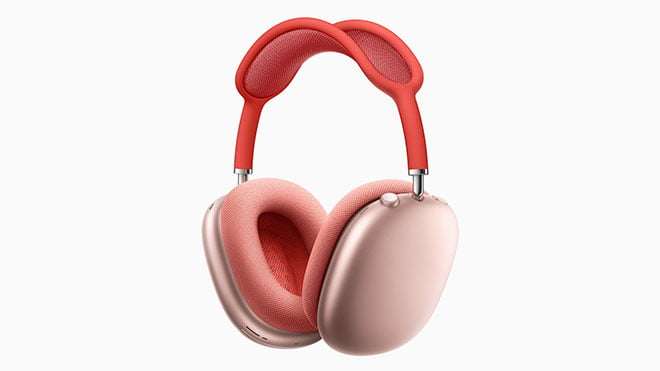
Als u niet weet hoe u automatische hoofddetectie op AirPods Max moet uitschakelen, gaan we u helpen.

AirPods Max heeft veel geweldige functies waardoor het een van de beste headsets is die we met onze iPhone of iPad kunnen gebruiken. Een van de kenmerken is de automatische hoofddetectie die onder andere het afspelen automatisch pauzeert wanneer we de koptelefoon verwijderen. Een handige functie, maar in bepaalde gevallen willen we deze misschien uitschakelen.

Hoe automatische hoofddetectie op AirPods Max uit te schakelen?

Hoofddetectie is een geweldige functie, maar als u deze misschien wilt uitschakelen. Dit is een eenvoudig proces omdat we deze instellingen vanaf onze iPhone of iPad kunnen doen. Volg deze stappen:

  • Open de Instellingen-app op iPhone of iPad.
  • Ga naar Bluetooth.
  • Raak het infopictogram naast ‘AirPods Max of [name]. “
  • Hoofddetectie in- of uitschakelen.
  Wat is phishing en hoe kunt u uzelf beschermen tegen oplichting?
Hoe automatische hoofddetectie op AirPods Max uit te schakelen?

Het is zo makkelijk. Als deze instelling is uitgeschakeld, zal de AirPods Max het afspelen niet langer pauzeren wanneer u ze uitzet. In plaats daarvan moet u zelf op de pauzeknop drukken. Zoals u kunt zien, is het proces heel eenvoudig. Als u deze functie opnieuw wilt activeren, hoeft u alleen dezelfde stappen te volgen. Als u de tas zorgvuldig uitvoert, zouden er geen problemen moeten zijn.

Tags: Hoeuit

Related Posts

Google introduceert AI Inbox om Gmail-taken en updates te organiseren

Google introduceert AI Inbox om Gmail-taken en updates te organiseren

YouTube updatet zoekfilters om Shorts te scheiden van lange video's

YouTube updatet zoekfilters om Shorts te scheiden van lange video's

Disney+ brengt scrollen in TikTok-stijl naar zijn streaming-app

Disney+ brengt scrollen in TikTok-stijl naar zijn streaming-app

FIFA en TikTok werken samen om live WK-clips te streamen

FIFA en TikTok werken samen om live WK-clips te streamen

Google introduceert AI Inbox om Gmail-taken en updates te organiseren
Tech

Google introduceert AI Inbox om Gmail-taken en updates te organiseren

YouTube updatet zoekfilters om Shorts te scheiden van lange video's
Tech

YouTube updatet zoekfilters om Shorts te scheiden van lange video's

Disney+ brengt scrollen in TikTok-stijl naar zijn streaming-app
Tech

Disney+ brengt scrollen in TikTok-stijl naar zijn streaming-app

FIFA en TikTok werken samen om live WK-clips te streamen
Tech

FIFA en TikTok werken samen om live WK-clips te streamen

Xbox onthult line-up voor de volgende Developer Direct: Fable, Forza en meer
Tech

Xbox onthult line-up voor de volgende Developer Direct: Fable, Forza en meer

TechBriefly NL

© 2021 TechBriefly is a Linkmedya brand.

  • About
  • Blog
  • Contact
  • Contact Us
  • Cover Page
  • Modalités et Conditions
  • Politique de Confidentialité
  • Sur Tech Briefly
  • TechBriefly

Follow Us

No Result
View All Result
  • Tech
  • Business
  • Geek
  • How to
  • about
    • Sur Tech Briefly
    • Modalités et Conditions
    • Politique de Confidentialité
    • Contact Us

This website uses cookies. By continuing to use this website you are giving consent to cookies being used. Visit our Privacy and Cookie Policy.